How to Simplify Invoicing Directly Inside Salesforce

Businesses can simplify invoicing in Salesforce by creating invoices from customer and sales records, sending branded invoices with online payment links, automating payment reminders, and tracking payments in one place. A Salesforce-native payment solution like Kulturra helps sales and finance teams manage invoicing and billing without constantly switching between Salesforce, spreadsheets, and external tools.

Can You Create Invoices Directly in Salesforce?

Yes. With Kulturra, teams can create invoices directly from Salesforce records, including Accounts, Opportunities, Quotes, and supported custom objects.


Instead of manually transferring information into another invoicing system, teams can use existing Salesforce data to build invoices. Related products can be added from an Opportunity, while additional products or custom line items can be included as needed.


Depending on the billing requirements, invoices can also include taxes, shipping fees, discounts, surcharges, and other custom charges.

How Does Invoicing Inside Salesforce Work?

A connected invoicing workflow helps teams move from invoice creation to payment tracking without manually updating multiple systems.


1. Create Invoices From Salesforce Records

Start with the relevant Account, Opportunity, Quote, or supported custom object. Add products and billing details using available Salesforce data, reducing duplicate entry and manual errors.

2. Customize Invoice Templates

Create invoice templates that match your company’s branding and billing requirements. Include logos, payment instructions, payment terms, and relevant legal language to give customers a consistent invoicing experience.

3. Send Invoices and Accept Online Payments

Send invoices to customers by email directly from Salesforce or generate a PDF for printing and distribution.


Invoices can include secure payment links, allowing customers to pay online using supported methods such as credit cards or electronic checks. Available payment options depend on your configuration and payment processor.

4. Track Payments in Salesforce

When a payment is processed, invoice and payment records are updated in Salesforce and linked to the relevant customer record.

This gives teams a clearer view of paid and outstanding invoices without relying on separate spreadsheets to track payment activity.

5. Automate Reminders and Payment Schedules

Reduce manual follow-ups with automated reminders for overdue invoices. Businesses can also support down payments, installment plans, and recurring billing when their billing workflows require more flexible payment schedules.


For high-volume billing, bulk invoice and customer statement options can help teams manage multiple records more efficiently.

What Are the Benefits of Managing Invoices in Salesforce?

Managing invoicing inside Salesforce can help businesses:


Reduce manual data entry: Use existing customer, opportunity, and product information when preparing invoices.


Keep billing data connected: Link invoices and payments to relevant Salesforce records.


Improve payment visibility: Track payment activity and outstanding balances in the CRM.


Deliver a consistent customer experience: Use branded templates and convenient online payment options.


Reduce follow-up work: Automate reminders for overdue invoices.


Support flexible billing: Manage down payments, installments, and recurring payment schedules.


Simplify reporting: Keep customer, invoice, and payment information connected for easier review.


The biggest advantage is not simply creating invoices faster. It is connecting invoicing to the customer and sales workflows your team already manages in Salesforce.

Why Use Kulturra for Salesforce Invoicing?

Kulturra brings invoicing and payment processing into Salesforce, helping businesses manage billing activities alongside their customer and sales records.


With Kulturra, teams can:


  • Create invoices from Salesforce records.
  • Add products, custom line items, and billing charges.
  • Customize invoice templates.
  • Send invoices with online payment links.
  • Track payment activity against relevant Salesforce records.
  • Support installment payments and recurring billing.
  • Automate overdue invoice reminders.
  • Manage bulk invoicing and customer statements.

Kulturra also supports multiple payment methods and payment processors, depending on the configuration. This flexibility can help businesses adapt invoicing to their existing billing processes while keeping payment activity connected to Salesforce.

Is Salesforce Invoicing Right for Your Business?

Invoicing inside Salesforce can be especially useful for businesses that already manage customer relationships, sales opportunities, or service activity in the CRM but still depend on separate tools to bill customers.


It may be a good fit if your team:


  • Manually transfers Salesforce data into invoices.
  • Uses spreadsheets to track outstanding payments.
  • Switches between multiple systems to manage billing.
  • Needs automated invoice reminders or recurring billing.
  • Wants payment history connected to customer records.
  • Needs more flexible payment schedules for customers.

The right setup depends on your invoice volume, billing complexity, payment methods, and automation requirements.

Frequently Asked Questions

Does Salesforce have built-in invoicing?

Salesforce capabilities vary by product, edition, and configuration. Businesses that need specific invoicing workflows may use a Salesforce-native solution like Kulturra to create invoices, accept payments, and manage billing activity within Salesforce.

Can I send invoices directly from Salesforce?

Yes. With an invoicing solution such as Kulturra, teams can email invoices from Salesforce or generate PDFs for distribution. Invoices can also include payment links so customers can pay online using supported methods.

Can Salesforce automatically send overdue invoice reminders?

Automated reminders can be configured through a suitable invoicing and billing solution. Kulturra supports reminder workflows to help businesses follow up on unpaid invoices with less manual effort.

Can I accept partial payments or installment payments on a Salesforce invoice?

Yes. Kulturra supports down payments and installment payments in Salesforce, allowing businesses to split invoice amounts into scheduled payments and offer customers more flexible payment options.

Can invoice and payment records be linked to Salesforce Accounts and Opportunities?

Yes. With a Salesforce-native invoicing workflow, invoice and payment activity can be associated with relevant Salesforce records, helping teams maintain better visibility into customer billing history.

Can I send invoices in bulk from Salesforce?

Yes. Kulturra supports bulk invoice and customer statement processing in Salesforce, helping teams send multiple invoices or statements efficiently while reducing manual billing work.

The Bottom Line

Invoicing doesn’t have to mean switching between Salesforce, spreadsheets, and separate billing tools. By connecting invoice creation, online payments, payment tracking, and automated follow-ups, businesses can simplify billing while keeping customer and financial activity connected to their CRM.


Kulturra helps bring these workflows into Salesforce, giving sales and finance teams a more connected way to create invoices, collect payments, and manage outstanding balances.

How to Manage Subscriptions and Recurring Billing in Salesforce

Kulturra helps businesses manage recurring billing, subscriptions, and payments directly in Salesforce, making it easier to automate billing while keeping customer and payment data connected.

Businesses that manage subscriptions, retainers, memberships, or ongoing service contracts often need to bill customers on a recurring schedule. Managing those payments manually can create unnecessary work, especially when teams have to create invoices, follow up on overdue payments, and track payment activity across different systems.


With Kulturra, businesses can automate recurring billing inside Salesforce and manage the billing process alongside their existing customer and business data.

What Is Recurring Billing in Salesforce?

Recurring billing is the process of automatically invoicing or charging customers on a repeating schedule.

For example, a business may bill customers:

  • Monthly for a software subscription
  • Quarterly for a maintenance contract
  • Annually for a membership
  • On a custom schedule for an ongoing service

Recurring billing can include more than generating invoices. A complete workflow can also include automatic payments, payment reminders, failed-payment retries, and tracking invoice and payment status.

How Does Recurring Billing Work With Kulturra?

Kulturra adds recurring billing and payment capabilities to Salesforce, allowing businesses to create recurring invoices and automate payment collection.

A typical recurring billing workflow looks like this:

1. Create a Recurring Billing Profile

Start by setting up the customer’s recurring billing or subscription profile.

You can define details such as:


  • Customer
  • Products or services
  • Recurring amount
  • Billing frequency
  • Start date
  • End date or number of occurrences
  • Payment method

2. Set the Billing Schedule

Choose how often the customer should be billed. Depending on your business requirements, recurring billing can support schedules such as monthly, quarterly, annually, or other recurring intervals.


You can also configure a subscription to continue indefinitely or end after a specific date or number of billing cycles.

3. Generate and Send Invoices

Once the schedule is active, recurring invoices can be generated according to the billing settings.

Customers can receive invoices electronically and pay online using supported payment methods.

4. Automate Payments

For customers who prefer automatic payments, Auto-BillPay can charge a saved payment method according to the recurring billing schedule.


This can reduce the need for customers to manually complete a payment every billing cycle.

5. Track Billing Activity in Salesforce

Invoices and payment activity remain connected to Salesforce records, giving teams visibility into billing history, payment status, and upcoming billing activity.


Kulturra supports Salesforce records such as Accounts, Contacts, Opportunities, Quotes, Orders, and Products, helping businesses keep payment activity connected to their CRM.

How Does Kulturra Handle Failed Recurring Payments?

Recurring payments can fail for several reasons, including declined transactions or expired payment methods.


Instead of relying entirely on manual follow-up, businesses can use automated tools to help manage these situations.

Kulturra supports recurring payment workflows that can include:


  • Automatic payment retries
  • Failed-payment notifications
  • Expiring-card notifications
  • Overdue invoice reminders
  • Follow-up workflows

This helps teams respond to payment issues sooner and reduces the amount of manual work involved in collections.

What Are the Benefits of Recurring Billing in Salesforce?

Managing recurring billing within Salesforce can help businesses:

Reduce manual billing work

Automate recurring invoice generation and payment collection instead of repeating the same tasks every billing cycle.

Improve payment visibility

Keep invoice and payment activity connected to customer and business records in Salesforce.

Reduce missed payments

Automated reminders and retry workflows can help businesses respond to failed or overdue payments.

Give customers flexible payment options

Customers can pay invoices online or use automatic payment options when appropriate.

Keep billing connected to your CRM

Instead of moving billing information between separate systems, teams can manage more of the payment workflow within Salesforce.


Who Can Use Recurring Billing in Salesforce?

Recurring billing can be useful for businesses with ongoing customer relationships, including:

Software and SaaS

Automate monthly, quarterly, or annual subscription payments.

Professional Services

Manage recurring retainers and ongoing service agreements.

Membership Organizations

Automate recurring membership dues and payments.

Maintenance and Service Contracts

Create recurring invoices for customers with ongoing maintenance or service plans.

Managed Services

Bill customers regularly for ongoing IT, security, facilities, or other managed services.


Frequently Asked Questions About Recurring Billing in Salesforce

Can Salesforce handle recurring billing?

Yes. Businesses can add recurring billing functionality to Salesforce through solutions such as Kulturra. This can include recurring invoices, automated payments, payment retries, and billing notifications.

Can I automatically charge customers every month in Salesforce?

Yes. With Auto-BillPay, customers can have a saved payment method charged automatically according to their recurring billing schedule.

Can I send recurring invoices from Salesforce?

Yes. Recurring invoices can be created and sent according to a defined billing schedule, allowing businesses to automate recurring billing without manually creating each invoice.

What happens if a recurring payment fails?

Failed recurring payments can be handled through automated retry and notification workflows. Businesses can also use overdue reminders and follow-up processes to help recover outstanding payments.


Can I manage subscriptions without leaving Salesforce?

Yes. Kulturra brings subscription and recurring billing functionality into Salesforce, allowing businesses to manage billing alongside their existing CRM data.


Final Takeaway

Recurring billing can help businesses automate one of the most repetitive parts of managing ongoing customer relationships.


With Kulturra, businesses can create recurring billing schedules, automate invoices and payments, manage failed transactions, and keep billing activity connected to Salesforce.


Whether you’re managing software subscriptions, memberships, retainers, or ongoing service contracts, recurring billing can help your team spend less time managing payments manually and more time focused on customers.


Ready to simplify recurring billing in Salesforce?


Explore Kulturra for Salesforce or find Kulturra on AppExchange to see how recurring billing and payment automation can fit into your Salesforce workflow.


How to Use Salesforce as a Point-of-Sale (POS) System

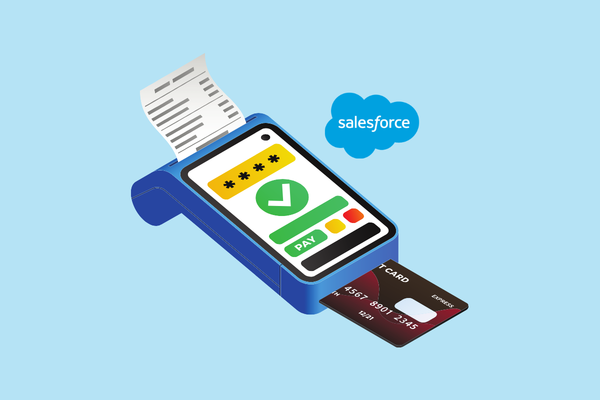
Kulturra turns Salesforce into a connected POS solution for businesses that need to accept in-person payments while keeping customer, sales, and payment data connected.

Salesforce can be used as a point-of-sale (POS) system when paired with a Salesforce-native payment solution such as Kulturra. Instead of switching between a CRM and a separate POS platform, businesses can process card payments, connect transactions to Salesforce records, and keep payment history in one system.

Can Salesforce Be Used as a POS System?

Salesforce is primarily a CRM, but it can support point-of-sale workflows when payment capabilities are added through a Salesforce-native payment solution.

This allows businesses to use Salesforce as the central system for:

  • Customer and account information
  • Sales and transaction records
  • Payment collection
  • Payment history
  • Receipts and transaction records
  • Reporting and reconciliatio
  • With Kulturra, payments can be processed directly within Salesforce and associated with the appropriate Salesforce record.

VIDEO: Salesforce POS | How to Use Salesforce as Your Point-of-Sale


Why Use Salesforce for Point-of-Sale Payments?

Traditional POS systems often operate separately from the CRM. A customer may be managed in Salesforce while their purchase and payment information remains in another system.

That separation can create additional work for sales, finance, and customer service teams.

Using Salesforce as the central platform for POS payments can help businesses:


  • Keep customer and payment information connected
  • Associate transactions with Salesforce records
  • Reduce manual data entry
  • Give teams better visibility into payment history
  • Simplify reporting and reconciliation
  • Create a more consistent customer record

Instead of treating the POS and CRM as separate systems, businesses can connect the payment process to the customer and sales data already stored in Salesforce.


How Does Salesforce POS Work With Kulturra?

Kulturra connects payment processing with Salesforce so teams can collect in-person payments while working with Salesforce records.


A typical POS transaction can follow these steps:


1. Open the Salesforce Record

A sales representative, service employee, or other authorized user opens the relevant Salesforce record, such as an Account, Opportunity, Case, or custom object.

2. Enter or Confirm the Payment

The user initiates the payment and confirms the amount associated with the transaction.

3. Accept the Customer’s Payment

The customer can pay using a supported card payment method through a connected payment terminal or supported POS setup.

4. Process the Transaction

Kulturra processes the payment and records the transaction within Salesforce.

5. Keep the Payment Connected to Salesforce

The resulting payment information can be associated with the appropriate Salesforce record, giving teams a centralized view of the transaction.


This approach helps eliminate the need to manually move payment information between a separate POS system and Salesforce.


What Types of Businesses Can Use Salesforce as a POS?

Salesforce POS can be useful for businesses that already use Salesforce to manage customers, sales, service, or other operational workflows.


Common use cases include:

Field Service

Service technicians can collect payments after completing a job instead of waiting for customers to pay later.

Retail and Showrooms

Sales teams can manage customer information, sales activity, and payment collection from a connected Salesforce workflow.

Clinics and Service Organizations

Front-desk teams can collect payments while maintaining customer or patient-related records in Salesforce, subject to applicable privacy and compliance requirements.

Events and Registrations

Organizations can accept payments for registrations, purchases, or other transactions while keeping payment activity connected to Salesforce records.

Membership Organizations

Membership-based organizations can collect payments and associate transactions with the appropriate member or account records.


The best use case is generally a business that already relies on Salesforce and wants its payment process to be part of the same workflow.


What Are the Benefits of Using Kulturra as a Salesforce POS?

The primary advantage of using Kulturra for POS payments is connecting payment activity directly with Salesforce.

Instead of maintaining separate customer, sales, and payment workflows, businesses can centralize more of their payment operations within Salesforce.

Key benefits include:


Salesforce-native payments: Process payments within Salesforce workflows.
Connected transaction records: Associate payment activity with relevant Salesforce records.


Reduced manual entry: Avoid repeatedly transferring information between systems.


Payment visibility: Give authorized teams access to payment history within Salesforce.


Reporting: Use Salesforce data and reporting capabilities to gain visibility into transactions.


Flexible payment processing:

Kulturra supports multiple payment processors and gateways, allowing businesses to choose an appropriate payment setup.


POS capabilities: Support in-person payment workflows for teams that need to collect payments at a counter, event, or customer location.


Does Kulturra Replace a POS System?

Kulturra can provide POS functionality within Salesforce, but whether it completely replaces an existing POS depends on the business’s requirements.


Businesses should consider factors such as:


  • Payment hardware requirements
  • Inventory management
  • Retail checkout functionality
  • Payment processor requirements
  • Salesforce workflows
  • Reporting needs
  • Customer and transaction volume

For organizations whose primary need is payment collection connected to Salesforce, Kulturra can provide a Salesforce-centered alternative to maintaining a separate payment workflow.


Why Is a Salesforce-Native POS Useful?

The biggest advantage is context.


When a payment happens, Salesforce can already contain the information surrounding that transaction, such as the customer, account, opportunity, case, or service activity.


Connecting the payment to that information can help teams answer questions such as:


Who made the payment?
What was the payment for?
Which Salesforce record is associated with it?
When was the transaction completed?
What payment activity has occurred previously?


This creates a more complete view of the customer and their transactions without requiring employees to search across multiple systems.


Frequently Asked Questions About Salesforce POS

Can Salesforce process POS payments?

Yes. Salesforce can support POS payment workflows through payment solutions such as Kulturra. This allows businesses to process in-person payments while keeping transaction information connected to Salesforce records.

Can I connect a card reader to Salesforce?

Yes. A Salesforce POS setup can use supported payment terminals or card readers to accept in-person payments. The specific hardware and capabilities depend on the payment processing configuration.

Can Salesforce accept credit card payments in person?

Yes. With a compatible payment solution such as Kulturra, businesses can accept in-person card payments and connect the resulting transaction to Salesforce.

What is the advantage of a Salesforce-native POS?

A Salesforce-native POS connects payment activity with the customer, sales, and service information already stored in Salesforce. This can reduce duplicate data entry and give teams better visibility into transactions.

Does Salesforce have its own POS system?

Salesforce is primarily a CRM platform rather than a traditional standalone retail POS. Businesses can add payment and POS capabilities through Salesforce-native solutions such as Kulturra.

Can Kulturra work with multiple payment processors?

Yes. One of Kulturra’s key advantages is support for multiple payment processors and gateways, giving businesses more flexibility than a payment setup tied to a single processor.


Final Takeaway

Salesforce can function as a POS platform when its CRM capabilities are connected to the right payment technology. For businesses that want customer, sales, service, and payment information connected in one environment, Kulturra provides a Salesforce-native way to process in-person payments.


Rather than moving payment information between a separate POS and Salesforce, businesses can make payments part of the Salesforce workflow itself.


Want to see how Salesforce POS payments work with Kulturra?


Learn more about Kulturra for Salesforce or find Kulturra on Salesforce AppExchange.

What Are the Top 3 Payment Processing Solutions for Salesforce in 2026?

The top three Salesforce payment processing solutions in 2026 are Chargent, Kulturra, and Blackthorn. These solutions were selected based on Salesforce AgentExchange (formerly AppExchange) customer ratings and compared across payment capabilities, invoicing, automation, customization, security, and other key evaluation criteria.

How We Selected the Top Salesforce Payment Processing Solutions

To identify the top Salesforce payment processing solutions for 2026, we reviewed customer ratings and user feedback from Salesforce AgentExchange. The three solutions with strong customer review profiles were selected for evaluation.

We then compared each solution across capabilities organizations commonly consider when selecting a Salesforce payment processing platform, including payment links, recurring payments, invoicing, payment reminders, in-person payments, developer flexibility, multi-entity support, customer payment portals, pricing, and security compliance.

This comparison is not a ranking or recommendation of one solution over another. Each organization should evaluate solutions based on its specific payment workflows, technical requirements, budget, and business needs.

Comparison updated: 2026

Why Salesforce Payment Processing Solutions Matter

Organizations using Salesforce often need more than basic payment collection. They may need payment links, invoicing, recurring billing, or point-of-sale (POS) payments while keeping payment activity connected to Salesforce customer data and workflows.

Choosing the right Salesforce payment processing solution requires evaluating features, pricing, security, customer support, and long-term business needs.

What Features Should a Salesforce Payment Processing Solution Include?

Before comparing payment providers, define the capabilities your organization requires. While every business has different workflows, the following features are common considerations when evaluating Salesforce payment processing solutions.

Payment Links

Can the solution support sending secure payment links so customers can pay online using their credit card? Payment links allow customers to complete payments from invoices, emails, text messages, or other digital communications without requiring a separate checkout experience.

Look for solutions that make it easy to generate payment links, track payment status, and associate transactions with the correct Salesforce records.

Gateway Support

Does the solution support your preferred payment gateway or offer multi-gateway flexibility? Compatibility with major gateways (like Stripe, Authorize.Net, or PayPal) gives you the freedom to choose your processor, avoid vendor lock-in, and negotiate lower rates.

Recurring Payments

Does the solution support recurring payments and automated billing schedules? This capability is important for businesses that offer subscriptions, memberships, payment plans, or other services requiring regular customer payments.

A recurring payment solution should allow organizations to manage billing schedules, track payment status, and maintain customer payment information securely.

Invoicing

Can the application generate invoices with embedded payment options? Combining invoicing and payment collection within Salesforce can reduce manual processes and help customers pay faster.

Look for solutions that allow teams to create invoices, send them to customers, and provide a simple way for customers to complete payments directly from the invoice.

Payment Reminders

Does the solution provide automated payment reminders? Features such as upcoming payment notifications, overdue invoice reminders, and expired credit card alerts can help organizations improve collections and reduce administrative follow-up.

Automated reminders can also create a better customer experience by keeping customers informed before payment issues occur.

In-Person Payments

Does the solution support in-person payments and point-of-sale (POS) transactions? Organizations that accept payments at physical locations, events, retail environments, or customer sites should look for Salesforce payment solutions that support card-present transactions.

A POS payment capability allows customers to pay using payment devices that support tap, chip, and contactless payment methods. The solution should also synchronize payment information with Salesforce so teams have a complete view of customer transactions across both online and in-person payment channels.

Developer Flexibility

Does the solution provide enough customization options to support your organization’s workflows? Salesforce environments are often highly customized, so payment solutions should offer tools such as APIs, automation capabilities, and configuration options.

Developer-friendly solutions allow organizations to build payment processes that align with their existing Salesforce architecture rather than forcing teams to change their workflows.

Multi-Entity Support

Does the solution support multiple entities within your organization? Companies with multiple brands, business units, or legal entities may need separate payment configurations.

A multi-entity payment solution should support different branding, payment gateways, bank accounts, and payment routing rules while allowing each entity to manage transactions appropriately.

Customer Payment Portal

Does the solution provide a customer payment portal? A self-service payment portal allows customers to securely access invoices, make payments, update payment methods, and manage their payment information.

Payment portals can reduce support requests and provide customers with a convenient way to manage their accounts.

How Much Does a Salesforce Payment Processing Solution Cost?

Pricing is another important factor when evaluating payment processing apps for Salesforce. The right solution should provide the required functionality while fitting within your organization’s budget.

When comparing pricing, consider more than subscription fees. Review transaction costs, implementation expenses, support plans, and additional charges for premium features. The overall cost of ownership is often more important than the initial price.

Why Customer Support Matters

Payment processing is a critical business function, so reliable customer support is an important consideration. Issues with payment transactions can directly impact revenue and customer satisfaction.

Before selecting a provider, review customer feedback, support experiences, and user ratings. Salesforce AgentExchange reviews can provide insight into how customers evaluate the solution after implementation.

What Security and Compliance Standards Should a Salesforce Payment Solution Meet?

Security and compliance should be key parts of your evaluation process because payment data requires strong protection.

One of the most important standards to review is PCI DSS compliance. PCI compliance is a shared responsibility between your organization and your payment solution provider. Look for solutions that help reduce your PCI scope through secure payment processing methods such as tokenization, which helps prevent sensitive payment data from being stored directly in your Salesforce organization.

Another important security consideration is the vendor’s SOC 2 report. A SOC 2 report provides insight into how a provider manages customer data, including its security controls, policies, procedures, and technology infrastructure. Vendors with strong security practices can help organizations better protect customer payment information.

Comparing the Top 3 Salesforce Payment Processing Solutions

The following comparison shows how Chargent, Kulturra, and Blackthorn align across the evaluation criteria outlined above. The goal is to help organizations understand the differences between each solution and identify which platform best fits their payment workflows, Salesforce environment, and business requirements.

ChargentKulturraBlackthorn
AgentExchange Reviews4.93 (529 reviews)4.98 (305 reviews)4.97 (181 reviews)
Estimated Pricing RangeHigher annual cost rangeLower to mid-range annual costMid-range annual cost
Gateways Supported30+ Integrations120+ Integrations120+ Integrations
Payment LinksSupportedSupportedSupported
Recurring PaymentsSupportedSupportedSupported
InvoicingPartial. Supports payment requests. Standalone invoice generation may require configuration or an invoicing integration.SupportedSupported
Payment RemindersPartial. Supports automated payment collection. Customer reminders may require automation or additional configuration.SupportedPartial. Supports scheduled payments. Automated reminders may require automation or additional configuration.
In-Person PaymentsSupportedSupportedSupported
Developer FlexibilityNative app with flexible configuration options.Native app with flexible configuration options.Native app with flexible configuration options.
Multi-Entity SupportPartial. May require additional Salesforce configuration.SupportedPartial. May require additional Salesforce configuration.
Customer Payment PortalSupported through Experience Cloud.Supported through Experience Cloud.Supported through Experience Cloud.
Security and ComplianceSupports tokenization and has a SOC 2 report.Supports tokenization and has a SOC 2 report.Supports tokenization and has a SOC 2 report.

All three Salesforce payment solutions cover the core needs most organizations look for, including payment links, recurring payments, in-person payments, Salesforce flexibility, and secure payment processing.

The key differences appear in areas such as gateway support, payment reminders, and invoicing, where some capabilities may require additional Salesforce configuration or integrations. Organizations should consider their required workflows, level of customization, and operational complexity when comparing these solutions.

Can Salesforce Accept Payments? Understanding Your Salesforce Payment Options

Yes, Salesforce can accept payments. Businesses can accept credit card and ACH payments in Salesforce through several approaches, including Salesforce products such as Commerce Cloud and Salesforce Payments, as well as Salesforce partner solutions available through AgentExchange, such as Kulturra. The right solution depends on your payment workflows, required features, preferred payment processors, and billing needs.

Before exploring the different options, it helps to understand how payment processing works. Salesforce is primarily a CRM platform, not a traditional payment processor. To accept credit card or ACH payments, you’ll typically need a payment provider that can securely authorize and process transactions between your customers, their financial institutions, and your business.

Some of the most popular payment processors include Stripe, Authorize.net, and CardConnect. Once you have an account with a payment processor, you can typically accept payments through their own platform or website.

If you want to accept payments directly within Salesforce, you’ll also need an integration that connects Salesforce to your payment processor. Fortunately, you don’t have to build this integration yourself. Salesforce offers its own products for certain payment scenarios, and there are also AgentExchange (formerly AppExchange) solutions that provide pre-built integrations with a variety of payment processors and additional capabilities.

What are the Salesforce payment products?

Salesforce offers several ways to accept payments, but the available features depend on which Salesforce products your organization uses.

Commerce Cloud

If you’re using Salesforce Commerce Cloud, you’ll have access to robust payment capabilities designed for ecommerce. Customers can securely complete purchases online, and Commerce Cloud integrates with supported payment providers to handle payment authorization, capture, refunds, and order management. For organizations selling products through an online storefront, Commerce Cloud provides a comprehensive payment experience out of the box.

Salesforce Payments

If you’re not using Commerce Cloud, Salesforce Payments serves as Salesforce’s built-in payment solution. It enables businesses to generate and share secure online payment links while automatically linking transactions to relevant Salesforce records, keeping all payment tracking within your CRM.

Salesforce Payments works well for organizations with basic payment needs, but its main limitation is processor flexibility. Because it supports a significantly narrower selection of payment gateways compared to AgentExchange solutions, businesses with specific merchant processing preferences may find it restrictive.

While it handles simple payment links just fine, organizations needing freedom of processor choice, or those managing specialized billing structures, typically turn to AgentExchange for broader gateway compatibility and greater flexibility within Salesforce.

What are the AgentExchange Solutions

Beyond Salesforce’s own payment products, businesses can also explore Salesforce AgentExchange. Here you’ll find payment applications built by Salesforce partners that extend the platform with additional capabilities.

These solutions can connect Salesforce to popular payment processors, automate payment workflows, support recurring payments, generate invoices, collect ACH and credit card payments, and provide industry-specific functionality that may not be available with Salesforce’s own products.

Because every organization has different requirements, there isn’t a single “best” payment solution. The right choice depends on your business processes and long-term goals.

When evaluating AgentExchange payment solutions, consider the following questions:

Does the solution support my business processes?

Start by identifying your must-have requirements. For example:

  • Do you need one-time payments, recurring billing, or payment plans?
  • Will you be accepting both credit card and ACH payments?
  • Do you need online payment portals or payment links?
  • Does the solution support multiple payment processors?
  • Can it automate invoicing, payment reminders, and payment reconciliation?
  • Does it work with the Salesforce objects and workflows you already use?

Does the pricing fit my budget?

Compare more than just the subscription price. Consider implementation costs, usage fees if any, support plans, and the time your team will spend managing the solution.

What level of support does the vendor provide?

Payment processing is a business-critical function. If an issue arises, you’ll want a vendor that is responsive and experienced. Review customer ratings in the AgentExchange and understand what support channels are available before making a decision.

How does the vendor approach security?

Security should be a top priority when evaluating any payment solution. Choose vendors that follow industry standards like tokenization and offer clear transparency into their compliance practices. Reviewing a vendor’s SOC 2 report is a great way to verify how they handle your sensitive data.

Does the solution have experience with organizations like mine?

Many payment solutions are designed with specific industries or use cases in mind. Reviewing customer success stories can help you understand how the product performs in organizations similar to yours.

For example, Kulturra is a Salesforce-native payment solution built to give you the freedom to bring your preferred payment processor by integrating with a wide range of gateways. For organizations constrained by the strict processor limitations of Salesforce’s built-in tools, Kulturra offers the gateway flexibility you need while letting you manage invoicing, recurring billing, and payment workflows entirely within Salesforce.

Ultimately, the best AgentExchange solution is one that fits your specific business requirements and integrates with your preferred payment processor, while giving your organization the long-term support to grow.

Frequently Asked Questions

Can Salesforce process credit card payments?

Yes. Salesforce can accept credit card payments through Salesforce products such as Salesforce Payments and Commerce Cloud, or through partner solutions available on AgentExchange.

Can Salesforce accept ACH payments?

Yes. ACH support depends on the payment solution and payment processor being used.

Can Salesforce handle recurring payments?

Some Salesforce products and partner solutions support recurring payments. Organizations with subscription billing requirements should evaluate which solution best fits their workflow.

Does Salesforce store credit card information?

Most payment solutions use tokenization so sensitive payment details are handled securely by payment providers rather than stored directly in Salesforce.

What is the best payment solution for Salesforce?

The best Salesforce payment solution depends on your business requirements. Salesforce Payments may be suitable for organizations with straightforward payment collection needs, while AgentExchange solutions such as Kulturra may be a better fit for businesses that need multiple payment processor options, advanced workflows, recurring payments, payment plans, or additional automation.

Payment Links in Salesforce: Get Paid With One Click

Getting paid shouldn’t slow down your sales cycle, delay service delivery, or create extra manual work for your team. Yet for many organizations, collecting payments still involves multiple systems, manual follow-ups, or clunky customer experiences.


Payment Links inside Salesforce change that.


With Kulturra for Salesforce, you can generate secure payment links directly from your Salesforce records and send them to customers instantly, no terminals, no portals, and no back-and-forth emails.


Just one click for your customer to pay, and everything is automatically tracked inside Salesforce.


What Are Payment Links in Salesforce?

Payment Links allow you to request and collect payments using a secure, shareable link generated directly from Salesforce. Instead of asking customers to log into a portal or call in payment details, you simply send them a link. They open it, pay securely by card or ACH, and you’re done.


Because the entire process is connected to Salesforce, payment activity is automatically recorded against the relevant record,whether that’s an Opportunity, Invoice, Case, or Quote.

The result? Faster payments, fewer errors, and a better customer experience.

How Kulturra Payment Links Work

With Kulturra, Payment Links are built directly into your Salesforce workflows. Your team can generate links from virtually any Salesforce object, including:

✅ Opportunities

✅ Cases

✅ Quotes

✅ Invoices

✅ Custom objects

Once generated, links can be sent through whatever communication channel you already use, email, SMS, customer messaging platforms, or embedded in documents.


Customers are taken to a secure, branded payment page where they can complete payment quickly, without needing to log in or create an account. After payment is completed, Salesforce updates automatically, and the payment link can be closed to prevent duplicate payments.

Key Features of Kulturra Payment Links

Generate Links From Anywhere in Salesforce
Create payment links directly from the records your team already works in. No switching tools or exporting data.


Send Links Through Any Channel
Share payment links via email, text message, or even include them in PDFs or email signatures.


Branded, Secure Payment Experience
Customers pay through a secure payment page that can reflect your branding,helping build trust and maintain a professional experience.


Automatic Salesforce Updates
When payment is completed, Salesforce records update automatically. No manual reconciliation, no data entry.


Smart Link Management
Payment links can automatically close after payment to prevent duplicates or overpayments.

Real-World Use Cases

Payment Links aren’t just convenient,they solve real business challenges across teams.


Speeding Up Sales Cycles
Send a payment link for deposits or upfront fees immediately after deal approval.


Remote or Field Services
Collect payments without needing physical terminals or on-site processing.


Accounts Receivable Collections
Make it easy for customers to pay outstanding balances with a single click.


Embedded “Pay Now” Experiences
Add payment links to invoices, quotes, emails, or customer communications.

Why Payment Links Reduce Friction (For Everyone)

For customers, Payment Links remove barriers. No account creation. No phone calls. No navigating complicated portals. For internal teams, everything stays inside Salesforce, where reporting, automation, and customer history already live.


That means:


✅ Less manual work

✅ Fewer payment delays

✅ Better visibility into cash flow

✅ Stronger customer experience

Getting Started With Payment Links in Salesforce

If your team is looking to accelerate cash collection, simplify payment workflows, or reduce manual reconciliation, Payment Links are one of the fastest ways to modernize your payment process inside Salesforce.


With Kulturra, you can start generating and sending payment links quickly, without changing how your team already works in Salesforce.


Find us on the Salesforce AppExchange or learn more about Kulturra for Salesforce to see how Payment Links can fit into your current workflows and help your team get paid faster.

Our website uses cookies to ensure you get the best experience while you’re here. Read our privacy policy for more information.