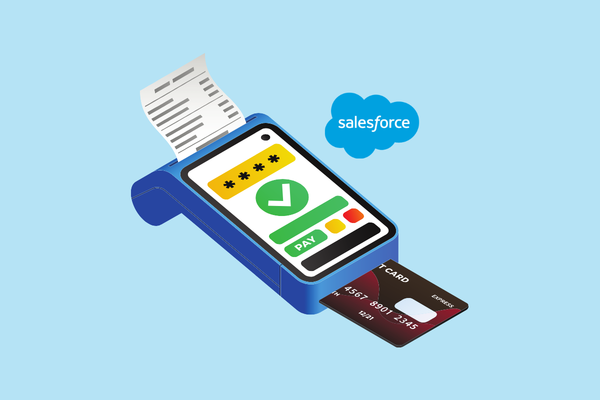
Kulturra turns Salesforce into a connected POS solution for businesses that need to accept in-person payments while keeping customer, sales, and payment data connected.
Salesforce can be used as a point-of-sale (POS) system when paired with a Salesforce-native payment solution such as Kulturra. Instead of switching between a CRM and a separate POS platform, businesses can process card payments, connect transactions to Salesforce records, and keep payment history in one system.
Can Salesforce Be Used as a POS System?
Salesforce is primarily a CRM, but it can support point-of-sale workflows when payment capabilities are added through a Salesforce-native payment solution.
This allows businesses to use Salesforce as the central system for:
- Customer and account information
- Sales and transaction records
- Payment collection
- Payment history
- Receipts and transaction records
- Reporting and reconciliatio
- With Kulturra, payments can be processed directly within Salesforce and associated with the appropriate Salesforce record.
VIDEO: Salesforce POS | How to Use Salesforce as Your Point-of-Sale
Why Use Salesforce for Point-of-Sale Payments?
Traditional POS systems often operate separately from the CRM. A customer may be managed in Salesforce while their purchase and payment information remains in another system.
That separation can create additional work for sales, finance, and customer service teams.
Using Salesforce as the central platform for POS payments can help businesses:
- Keep customer and payment information connected
- Associate transactions with Salesforce records
- Reduce manual data entry
- Give teams better visibility into payment history
- Simplify reporting and reconciliation
- Create a more consistent customer record
Instead of treating the POS and CRM as separate systems, businesses can connect the payment process to the customer and sales data already stored in Salesforce.
How Does Salesforce POS Work With Kulturra?
Kulturra connects payment processing with Salesforce so teams can collect in-person payments while working with Salesforce records.
A typical POS transaction can follow these steps:
1. Open the Salesforce Record
A sales representative, service employee, or other authorized user opens the relevant Salesforce record, such as an Account, Opportunity, Case, or custom object.
2. Enter or Confirm the Payment
The user initiates the payment and confirms the amount associated with the transaction.
3. Accept the Customer’s Payment
The customer can pay using a supported card payment method through a connected payment terminal or supported POS setup.
4. Process the Transaction
Kulturra processes the payment and records the transaction within Salesforce.
5. Keep the Payment Connected to Salesforce
The resulting payment information can be associated with the appropriate Salesforce record, giving teams a centralized view of the transaction.
This approach helps eliminate the need to manually move payment information between a separate POS system and Salesforce.
What Types of Businesses Can Use Salesforce as a POS?
Salesforce POS can be useful for businesses that already use Salesforce to manage customers, sales, service, or other operational workflows.
Common use cases include:
Field Service
Service technicians can collect payments after completing a job instead of waiting for customers to pay later.
Retail and Showrooms
Sales teams can manage customer information, sales activity, and payment collection from a connected Salesforce workflow.
Clinics and Service Organizations
Front-desk teams can collect payments while maintaining customer or patient-related records in Salesforce, subject to applicable privacy and compliance requirements.
Events and Registrations
Organizations can accept payments for registrations, purchases, or other transactions while keeping payment activity connected to Salesforce records.
Membership Organizations
Membership-based organizations can collect payments and associate transactions with the appropriate member or account records.
The best use case is generally a business that already relies on Salesforce and wants its payment process to be part of the same workflow.
What Are the Benefits of Using Kulturra as a Salesforce POS?
The primary advantage of using Kulturra for POS payments is connecting payment activity directly with Salesforce.
Instead of maintaining separate customer, sales, and payment workflows, businesses can centralize more of their payment operations within Salesforce.
Key benefits include:
Salesforce-native payments: Process payments within Salesforce workflows.
Connected transaction records: Associate payment activity with relevant Salesforce records.
Reduced manual entry: Avoid repeatedly transferring information between systems.
Payment visibility: Give authorized teams access to payment history within Salesforce.
Reporting: Use Salesforce data and reporting capabilities to gain visibility into transactions.
Flexible payment processing:
Kulturra supports multiple payment processors and gateways, allowing businesses to choose an appropriate payment setup.
POS capabilities: Support in-person payment workflows for teams that need to collect payments at a counter, event, or customer location.
Does Kulturra Replace a POS System?
Kulturra can provide POS functionality within Salesforce, but whether it completely replaces an existing POS depends on the business’s requirements.
Businesses should consider factors such as:
- Payment hardware requirements
- Inventory management
- Retail checkout functionality
- Payment processor requirements
- Salesforce workflows
- Reporting needs
- Customer and transaction volume
For organizations whose primary need is payment collection connected to Salesforce, Kulturra can provide a Salesforce-centered alternative to maintaining a separate payment workflow.
Why Is a Salesforce-Native POS Useful?
The biggest advantage is context.
When a payment happens, Salesforce can already contain the information surrounding that transaction, such as the customer, account, opportunity, case, or service activity.
Connecting the payment to that information can help teams answer questions such as:
Who made the payment?
What was the payment for?
Which Salesforce record is associated with it?
When was the transaction completed?
What payment activity has occurred previously?
This creates a more complete view of the customer and their transactions without requiring employees to search across multiple systems.
Frequently Asked Questions About Salesforce POS
Can Salesforce process POS payments?
Yes. Salesforce can support POS payment workflows through payment solutions such as Kulturra. This allows businesses to process in-person payments while keeping transaction information connected to Salesforce records.
Can I connect a card reader to Salesforce?
Yes. A Salesforce POS setup can use supported payment terminals or card readers to accept in-person payments. The specific hardware and capabilities depend on the payment processing configuration.
Can Salesforce accept credit card payments in person?
Yes. With a compatible payment solution such as Kulturra, businesses can accept in-person card payments and connect the resulting transaction to Salesforce.
What is the advantage of a Salesforce-native POS?
A Salesforce-native POS connects payment activity with the customer, sales, and service information already stored in Salesforce. This can reduce duplicate data entry and give teams better visibility into transactions.
Does Salesforce have its own POS system?
Salesforce is primarily a CRM platform rather than a traditional standalone retail POS. Businesses can add payment and POS capabilities through Salesforce-native solutions such as Kulturra.
Can Kulturra work with multiple payment processors?
Yes. One of Kulturra’s key advantages is support for multiple payment processors and gateways, giving businesses more flexibility than a payment setup tied to a single processor.
Final Takeaway
Salesforce can function as a POS platform when its CRM capabilities are connected to the right payment technology. For businesses that want customer, sales, service, and payment information connected in one environment, Kulturra provides a Salesforce-native way to process in-person payments.
Rather than moving payment information between a separate POS and Salesforce, businesses can make payments part of the Salesforce workflow itself.
Want to see how Salesforce POS payments work with Kulturra?
Learn more about Kulturra for Salesforce or find Kulturra on Salesforce AppExchange.