All About Parking

Managing event operations is complex on its own but when billing processes involve multiple systems, handoffs, and manual steps, teams lose valuable time and visibility. For All About Parking, a leader in event parking and logistics services, this challenge became increasingly difficult as their business scaled.

Their goal was simple: move faster, reduce manual work, and allow their sales teams to manage the full lifecycle of an event order without ever leaving Salesforce.

The Challenge: Fragmented Billing and Slow Payment Cycles

Before implementing Kulturra Payment Center, All About Parking relied on manual, multi-step processes to manage billing and receivables. Their workflows required multiple handoffs between departments, which often led to:

  • Delayed invoicing and payment collection
  • Bottlenecks between sales, finance, and operations
  • Limited visibility into receivables
  • A disconnected customer payment experience

Their event sales teams also couldn’t manage the entire lifecycle of an order, from proposal through final payment within Salesforce. This meant more switching between tools, more manual data entry, and less efficiency.

They knew it was time for a more streamlined, Salesforce-native approach.

Valets in parking lot

The Solution: A Fully Integrated Billing & Payments Workflow Inside Salesforce

By integrating Kulturra Payment Center directly into their Salesforce sales app, All About Parking transformed their workflow into a unified, seamless process. Now, their team can manage all billing and payment activities in one place, including:

  • Generating and sending invoices
  • Collecting payments through multiple payment options
  • Reconciling accounts
  • Tracking real-time status across the entire customers journey

This Salesforce-native workflow eliminated the complexity of separate systems and empowered their event teams to manage the entire order lifecycle faster and more accurately.

Throughout the implementation, the All About Parking team worked closely with Kulturra experts who helped ensure a smooth and successful rollout.

The Results: Faster Payments, Higher Productivity, Real-Time Visibility

Since going live with Kulturra, All About Parking has seen measurable improvements across the organization:

Faster payment turnaround times
Shorter cycles from invoicing to collection, thanks to a streamlined, end-to-end process.

Reduced manual work
Less duplicate entry and fewer handoffs between teams.

Higher productivity and accuracy
Sales teams can now handle invoicing and payments directly in Salesforce with confidence.

Real-time visibility into receivables
Finance and sales both get a clear picture of outstanding payments and overall cash flow.

A better customer payment experience
More payment options and a smoother user journey for clients making payments.

A Customer Partnership Built on Trust

For All About Parking, Kulturra delivered both a modernized billing system and a supportive implementation experience. As Steve Sirianni, VP of Sales & Client Success, shares:


“Kulturra has truly helped us simplify and modernize our billing operations. We’ve seen measurable improvements in payment turnaround times, team productivity, and real-time visibility into receivables. Their team has been incredibly responsive, knowledgeable, and a pleasure to work with.”

👉 Schedule a demo to see how you can bring invoicing, payments, and reconciliation together, all inside Salesforce.

Salesforce Automated Collections: Late Payments SOLVED

Getting paid on time is harder than it should be.

Invoices go out but payments trickle in. Your team chases down accounts receivable manually, finance is buried in follow-ups, and cash flow sits in limbo.

The impact is bigger than you think:

  • 93% of businesses report late payments as a regular issue.
  • “Net 30” terms often turn into Net 61 on average.
  • Roughly 30% of customers delay payment intentionally.

That’s wasted time, stressed-out teams, and revenue stuck in transit.

So what’s the solution? Automated collections inside Salesforce.


How Kulturra Fixes Late Payments


With Kulturra’s Automated Collections, built directly into Salesforce, you can replace the manual chaos with a streamlined, intelligent process.


When an invoice is overdue or a payment fails, Kulturra automatically:


✅ Sends personalized reminder emails with secure payment links
✅ Triggers retry logic for failed credit card or ACH payments
✅ Logs every step inside Salesforce, tied to the right Account or Opportunity
✅ Stops reminders instantly when payment is received


No spreadsheets. No awkward “did you get our invoice?” emails. No guesswork.


Full Control for Your Team

The best part? You decide how the system works. Kulturra gives you the flexibility to:

  • Set reminder intervals (e.g. every 5 days)
  • Define retry attempts and timing
  • Customize templates with merge fields like customer name, amount due, and invoice number
  • Add escalation rules (pause services, notify sales, or flag for collections)

It’s more than automation, it’s AR orchestration that’s native to Salesforce.


Why It Matters


Automated collections don’t just save your team time. They:

  • Improve cash flow by reducing late payments
  • Create consistency and transparency in follow-ups
  • Help you collect faster without adding headcount
  • Deliver a smoother customer experience (no awkward chases!)

Ready to Solve Late Payments?


If your business is spending hours chasing invoices or worse, losing money to late collections, it’s time to automate.


With Kulturra, Salesforce becomes your complete billing and collections hub.


👉 Find us on AppExchange

Salesforce Payments vs. Kulturra: Which Is Right for Your Business?

If you’re using Salesforce and want to integrate payments, you might be asking: Should I use Salesforce Payments or an AppExchange app like Kulturra?


Let’s break down the differences and help you decide which solution is the best fit for your business.


What Is Salesforce Payments?


Salesforce Payments is Salesforce’s native payment processing solution.

It allows businesses to accept:

💳 Credit cards

🏦 ACH

📱 Digital wallets


…all directly inside Salesforce.


Salesforce Payments supports features like tokenization, saved payment methods, one-click checkouts, and role-based access controls. It primarily uses Stripe as its payment gateway and focuses on simple, secure payment collection via checkout links and online forms.


While it’s convenient, Salesforce Payments is not a complete billing platform. It lacks:

  • Invoicing
  • Advanced recurring billing
  • Point-of-sale (POS) functionality
  • Deep customization for complex business models


What Is Kulturra?


Kulturra is a Salesforce-native billing and payments app on AppExchange that goes beyond simple payment collection.


Unlike Salesforce Payments, Kulturra supports 100+ processors, including:

  • Stripe
  • Square
  • PayPal
  • Authorize.net
  • CardConnect
  • And more

This flexibility means you can shop for better rates without being locked into a single provider.

But Kulturra isn’t just about choice—it’s a full billing operations platform built inside Salesforce.

With Kulturra, you get:
✅ One-time and recurring invoicing
✅ Credit card, ACH, wire, and in-person payments
✅ Tap-to-pay POS functionality
✅ Auto-reminders and retry logic
✅ Custom billing workflows
✅ Tokenization and saved cards
✅ Full audit trails and Salesforce-native reporting
✅ Hands-on support to optimize your merchant account and reduce fees


The Key Difference


The main difference comes down to scope:


Salesforce Payments → Helps you collect simple payments online with Stripe.

Kulturra → Helps you run your entire billing and payments process inside Salesforce, across multiple processors, with advanced features that scale with your business.


If you only need basic payment collection, Salesforce Payments may be enough.


But if you want to:

  • Lower your processing fees
  • Automate billing
  • Use Salesforce as your POS
  • Connect with multiple processors
  • Or unify sales, service, and finance data in one place…


👉 Kulturra is the better choice.


Final Thoughts


Salesforce Payments offers simplicity, but Kulturra brings flexibility, cost savings, and robust billing features that let you scale.


Why juggle multiple tools when you can manage payments, invoicing, and billing all in Salesforce?


📌 Find Kulturra on AppExchange
📌 Or book a demo to see it in action.

How to Use Salesforce as Your Point-of-Sale (POS)

What if your Salesforce CRM could also act as your point-of-sale (POS) system?

With Kulturra, it can. The Payment Center app transforms Salesforce into a fully functional POS with no third-party POS software, no clunky integrations, and no double entry. Just one clean, connected system.

Why Run POS Through Salesforce?


Traditional POS systems operate in silos, separate from your CRM. That means sales, payments, and customer data live in different places, creating duplication, errors, and headaches.


By running POS directly in Salesforce, everything stays in one place:


  • Sales data connects seamlessly with payments
  • Payment history links to customer records instantly
  • Finance, sales, and service teams all get full visibility

It’s faster, cleaner, and easier to scale as your business grows.


How It Works with Kulturra

Setting up POS in Salesforce is simple with Kulturra:

Connect a card reader or payment terminal to your Salesforce environment.

Open the record (Opportunity, Case, or even a custom object) when it’s time to collect payment.

Tap, swipe, or insert the customer’s card with the reader.

Process instantly—Kulturra records the payment, generates a receipt, and ties it to the right Salesforce record.

It works with tap-to-pay, chip, and mobile wallets, just like any modern POS.


Real-World Use Cases

POS inside Salesforce is perfect for:

  • Field Service Teams: Techs collect payments on-site as soon as a job is complete.
  • Clinics & Health Centers: Front desk reps check out patients without leaving Salesforce.
  • Showrooms & Retail Counters: Close deals and process payments instantly on the spot.
  • Events & Registrations: Accept at-the-door payments or renewals tied directly to attendee records.

In every scenario, payments are captured in real time, tied to the right account or opportunity, and available for reporting across teams.


The Kulturra Advantage


With Kulturra, you’re not juggling multiple systems. You’re streamlining payments right inside Salesforce.


  • No double entry
  • No third-party reconciliation
  • No more wondering who paid what

Instead, you get:


✔ Real-time payments linked to Salesforce records
✔ Clear audit trails and reporting
✔ A mobile-friendly POS experience built for teams on the go


Ready to Turn Salesforce Into Your POS?


Why manage sales and payments in separate systems when Salesforce can do it all? With Kulturra, your CRM becomes your POS, saving time, cutting costs, and giving you a unified view of your customers.

👉 Find Kulturra on [Salesforce AppExchange]

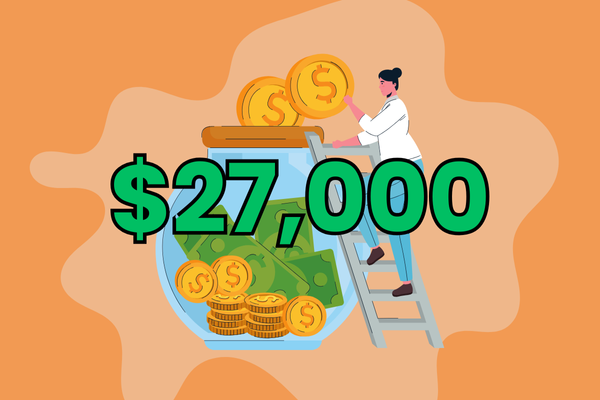
How One Business Saved $27,000 a Year in Payment Processing Fees

What would your business do with an extra $27,000 a year?

For one of our customers, that became a reality just by optimizing their payment processing setup with Kulturra.


The Problem: High Fees Eating Into Revenue


Back in late 2024, this business was processing payments through a traditional provider at an effective rate of 3.2%.


Here’s what that looked like:

  • Transaction volume (Nov 2024): $372,622.43
  • Total fees paid: $11,917.95

That’s more than 3 cents on every dollar going straight to fees without them even realizing it.


The Solution: Smarter Processing with Kulturra


We stepped in to review their setup, run the numbers, and find a better provider. After assessing options, CardConnect was the best fit to maximize savings.


Here’s what we did together:

✅ Set up a new merchant account with optimized pricing

✅ Turned on Level 2 and Level 3 data for lower interchange rates

✅ Enabled AVS checks to reduce fraud and fees

✅ Integrated everything seamlessly into Salesforce


The Results: Immediate and Ongoing Savings


The impact was fast:

  • February 2025: $170K processed → Fees dropped from $5,409.25 to $4,228.51 → $1,180 saved
  • March 2025: $460K processed → Fees dropped from $14,733.88 to $11,294.15 → $3,440 saved

That’s $4,600 saved in just two months. Projected across a year, it comes to $27,000+ in savings, all from a smarter payment setup.


Why It Matters


Payment processing fees often fly under the radar, but they can quietly drain thousands of dollars every year. The good news? With the right provider and setup, those costs can be drastically reduced.


At Kulturra, we help Salesforce businesses:

  • Optimize their merchant accounts
  • Avoid hidden fees
  • Automate payments and reporting inside Salesforce

The result: lower costs, faster payments, and full visibility in your CRM.


Are You Overpaying on Fees?

If your business runs on Salesforce, there’s a good chance you’re leaving money on the table.

 👉 Contact Kulturra to see how much you could save.

5 Payment Processing Mistakes Costing Your Business Thousands

If your business accepts credit cards, debit cards, or online payments, chances are you’re paying more than you should in fees. The truth is, a few common mistakes in how payments are handled can add up to thousands of dollars lost every year.

The good news? These mistakes are avoidable and with the right setup, you can keep more of your hard-earned revenue.


Choosing the Wrong Pricing Model

Flat-rate pricing seems simple: one standard rate for every transaction. Providers like PayPal, Square, and Shopify commonly use this model (e.g., 2.9% + 30¢ per transaction).

The problem? Flat-rate can get expensive if you process:

  • A high volume of transactions
  • Debit card payments (which have lower costs)
  • In-person sales (lower risk = lower fees)

The fix: Consider interchange-plus pricing, where you pay the actual transaction cost (interchange + network fees) plus a small markup. This model often saves money for businesses processing $10K+/month.


Manually Keying in Cards

Manually typing in card numbers = red flag for fraud. And higher fraud risk = higher fees.

The fix: Use secure payment methods instead:

  • Chip or tap payments in person
  • Hosted forms online
  • “Pay Now” links that let customers enter info directly

These methods reduce fraud risk and lower your processing rates.


Skipping AVS and CVV Checks


Address Verification System (AVS) and CVV checks confirm the cardholder’s details match the payment. Without them, transactions are flagged as riskier and you pay higher fees.

The fix: Turn on AVS and CVV checks from the start. You’ll lower your risk of fraud, reduce chargebacks, and often qualify for better rates.


Not Sending Level 2 or Level 3 Data

If you sell to businesses (B2B), this mistake can be very costly.

By sending additional invoice data (like tax amount, PO number, or line-item details), you qualify for Level 2 or Level 3 processing rates. That can reduce transaction fees by up to 1%—but many businesses miss out because their systems don’t support it.

The fix: If you use Salesforce, Kulturra makes it easy to send Level 2/3 data automatically with each transaction.


Sticking with the First Provider You Found

A lot of businesses simply sign up with their bank or the first provider they Google. The result? Higher fees, fewer features, and little support.

The fix: Work with a partner who helps you:

  • Choose the right provider for your industry and volume
  • Negotiate better rates
  • Stay PCI compliant
  • Scale as your needs grow

Save Money on Every Transaction with Kulturra

At Kulturra, we help Salesforce teams cut costs and simplify payments. Our Payment Center app connects directly to Salesforce, giving you:

  • Lower transaction fees
  • Smarter fraud prevention
  • Level 2/3 data support
  • Automated billing and reporting

Don’t let payment mistakes drain your bottom line. See how Kulturra can help you get paid faster, with fewer fees, and less hassle.

👉 Learn more on AppExchange

👉 Schedule a demo

Breaking Down the Costs of Payment Processing: What You’re Really Paying For

Every time a customer swipes a card, taps their phone, or pays online, your business pays a processing fee. But do you actually know where that money goes?

Let’s break down what you’re really paying for and how to avoid leaving money on the table.


Who Gets a Cut of Every Payment?

Whenever you accept a payment, multiple players take their share:

  • The customer’s bank (interchange fee)
  • The card network (Visa, Mastercard, Amex, etc.)
  • Your payment provider (Stripe, PayPal, Square, etc.)

Together, these add up to your processing fee, typically a percentage of the sale plus a flat amount.

Flat-Rate vs. Interchange-Plus Pricing

Not all providers price the same way. Two main models dominate the industry:

1. Flat-Rate Pricing

The same fee for every transaction, regardless of card type.

 Example: 2.9% + 30¢ per transaction

✔️ Easy to understand

❌ Can be more expensive long-term

Popular with: Stripe (default), PayPal, Square, Shopify Payments

2. Interchange-Plus Pricing

Breaks out the true cost of each transaction:

 Example: 1.8% (interchange) + 0.1% (network) + 0.3% (markup) = 2.2%

✔️ Transparent and often cheaper for higher volume

❌ A little more complex to read on statements

Popular with: most traditional merchant service providers

Why Fees Vary

Not all transactions cost the same. Fees change based on:

  • Card type: Rewards and business cards = higher fees; debit = lower fees
  • Transaction method: In-person card-present = cheaper; online = higher risk, higher fees
  • Industry risk: Some industries (like travel or CBD) face higher rates
  • Chargeback history: Too many disputes = penalties

Choosing What’s Right for Your Business

Flat-rate pricing works well for simplicity and predictability.

Interchange-plus is better if you:

  • Process a high volume of payments
  • Accept lots of debit cards
  • Want more transparency into costs

At Kulturra, we help Salesforce teams pick the right approach, avoid hidden fees, and connect the right merchant services provider directly into their CRM.

The Bottom Line

Payment processing fees are unavoidable but overpaying isn’t.

By understanding where your money goes and choosing the right pricing model, you can:

  • Save on every transaction
  • Improve cash flow
  • Scale your business without surprise costs

If you’re ready to optimize your payment setup in Salesforce, check out Kulturra on AppExchange.


Merchant Services: A Complete Beginner’s Guide

If you’ve ever accepted a payment whether online, over the phone, or in person, you’ve already used merchant services. But what exactly are they, and what should you know before choosing a merchant services provider?

Let’s break it down.


What Are Merchant Services?


Merchant services are the systems and tools that let your business accept payments from customers. That includes credit cards, debit cards, ACH transfers, and even digital wallets. Behind the scenes, they handle the entire process of moving money from your customer’s account to yours quickly and securely.


But merchant services are more than just swiping a card. They can also include:

  • Processing payments
  • Managing refunds and chargebacks
  • Securely storing payment methods
  • Providing reporting and reconciliation tools

In short: if getting paid is the goal, merchant services are the infrastructure that makes it happen.


How Do Merchant Services Work?


When a customer makes a payment, there’s a lot going on in just a few seconds:


Capture – The provider captures card or bank details.

Routing – The payment gateway sends those details to the right network (Visa, Mastercard, etc.).

Authorization – The payment processor communicates with the customer’s bank for approval.

Settlement – If approved, funds are transferred to your account, minus fees.

All of this happens behind the scenes, giving businesses fast payments, fewer errors, and happier customers.


Why Merchant Services Matter for Businesses of All Sizes


Small businesses – Accept credit cards instead of relying on cash or checks.

Growing companies – Handle increasing payment volume without bottlenecks.

Enterprises – Customize, report, and maintain compliance at scale.


The right merchant services setup impacts your cash flow, customer experience, and overall efficiency.


What to Look for in a Merchant Services Provider


Before signing up, consider these key factors:


Ease of integration – Works with your CRM, accounting, and existing systems.

Payment types – Cards, ACH, mobile wallets, recurring billing.

Fees – Understand all transaction and monthly costs.

Security – PCI compliance, tokenization, encryption.

Reporting – Real-time tracking and easy reconciliation.

Customer experience – Multiple payment options, simple checkout process.


Merchant Services + Salesforce: The Kulturra Advantage


At Kulturra, we’ve built Payment Center to handle all of the above directly inside Salesforce. That means:

  • Accepting credit cards, ACH, in-person, and online payments in one place.
  • Automating invoicing, recurring billing, and payment reminders.
  • Storing payment data securely with tokenization.
  • Gaining complete visibility with real-time reports.

No extra systems. No manual reconciliation. Just faster, smarter payments.


Final Takeaway

Whether you’re just starting out or scaling your business, understanding merchant services and picking the right provider can be the difference between slow cash flow and seamless operations.


If you’re ready to bring payments into Salesforce and streamline your entire billing process, check out Kulturra Payment Center on AppExchange and see how easy it can be.

Subscriptions And Recurring Billing In Salesforce

If your business runs on subscriptions, retainers, or repeat billing, you already know how important it is to automate those payments. Manual follow-ups, late invoices, and missed collections add unnecessary friction and costs.

That’s where Kulturra’s Payment Center comes in. It brings full subscription and recurring billing functionality directly into Salesforce, so you can set up once and get paid on time without the constant admin overhead.

In this guide, we’ll walk you through how to automate billing, streamline payments, and stay in control, all inside your existing Salesforce setup.

Part I: Automate Your Billing Workflow

While Salesforce is a powerful CRM, it doesn’t natively support recurring billing out of the box. With Kulturra installed from the AppExchange, however, you can enable fully automated billing with just a few clicks.

Here’s how it works:

  • Create a recurring invoice profile.
  • Define the billing schedule: monthly, quarterly, custom.
  • Set your start and end dates or leave it open-ended.
  • Kulturra takes care of generating and sending invoices based on your settings.

Your team sets it up once, and Kulturra handles the rest.


Part II: Offer Flexible Payment Options

Kulturra supports multiple payment methods so your customers can pay how they prefer:

  • Credit card
  • ACH / eCheck
  • Wire or check (manually marked as paid)
  • Auto-bill pay with tokenized card on file

Customers can pay directly from their invoice using a secure payment link. With tokenization, no sensitive card data is stored in Salesforce ensuring your setup stays PCI-compliant and secure.


Part III: Keep Everyone Informed, Automatically

Kulturra keeps your team and your customers in the loop with real-time visibility and smart notifications.

For your team:

  • Track invoice history and payment status
  • View upcoming billing events
  • Link all transactions to the correct records (Account, Opportunity, etc.)

For your customers:

  • Email receipts for successful payments
  • Alerts when cards are about to expire
  • Notifications for failed payments
  • Automated retry attempts for declined transactions

No more chasing payments or wondering what’s been collected.


Part IV: Smarter Collections Without the Follow-Up

Let’s face it: not every recurring invoice gets paid on time.

Kulturra gives you built-in tools to stay proactive:

  • Auto-reminders for overdue invoices
  • Custom retry logic for failed transactions
  • Personalized follow-up options

Collections become a part of your system and not a daily to-do list.


Why Use Kulturra for Recurring Billing?

Unlike disconnected third-party billing platforms, Kulturra is built 100% natively for Salesforce.

That means:

  • No syncing issues
  • No jumping between platforms
  • No custom integrations needed

You get full visibility and control over the billing process right alongside your CRM data.

Ready to See It in Action?

Whether you’re managing memberships, software subscriptions, monthly retainers, or ongoing service contracts, Kulturra helps you simplify and scale recurring billing without leaving Salesforce.

👉 Find Kulturra on AppExchange

👉 Schedule a demo to get started today.

How to Simplify Invoicing Directly Inside Salesforce

If your team is using Salesforce but still relying on spreadsheets or external tools to send invoices, you’re adding unnecessary complexity to your workflow. The truth is, invoicing can and should be fully integrated into the Salesforce experience.

With Kulturra, you can create, send, and manage invoices without ever leaving Salesforce, saving time, reducing manual work, and helping you get paid faster.

Here’s how it works:

Part 1: Create Invoices Natively in Salesforce

Invoicing with Kulturra starts right inside Salesforce. Whether you’re working from an account, opportunity, quote, or even a custom object, generating an invoice is just a few clicks away.

For example, if you’re creating an invoice from an opportunity, all related products and pricing details are automatically pulled in with no double entry, no copying and pasting.

You can also:

✔️ Add more items from your existing product catalog

 ✔️ Create custom line items on the fly

 ✔️ Apply taxes, shipping, discounts, or surcharges

 ✔️ Customize charges to match your exact billing structure

Everything is designed to fit seamlessly into your existing Salesforce workflow.

Part 2: Fully Customizable Invoice Templates

With Kulturra, your invoices can look exactly the way you want them to. Our customizable templates allow you to reflect your brand and meet your specific formatting or legal requirements.

You can easily include:

✔️ Payment instructions
✔️ Logos and branding
✔️ Terms and conditions
✔️ Any other required language or details

Because it’s all native to Salesforce, your team stays in one system—no jumping between platforms or re-entering data.

Part 3: Sending Invoices and Getting Paid

Once your invoice is ready, you can email it directly to your customer from Salesforce. The email includes a secure payment link that lets customers pay online instantly using credit card, ACH/eCheck, or other supported methods with no login or extra steps required.

As soon as the payment is submitted:
✔️ The transaction is processed in real-time
✔️ The invoice is automatically marked as paid
✔️ Payment records are linked to the correct account for easy tracking

Your team gets full visibility, and your customers get a frictionless payment experience.

Part 4: Automating Follow-Ups and Payment Schedules

Kulturra goes beyond just sending invoices. You can:
✔️ Accept down payments or split invoices into installments
✔️ Schedule recurring billing for subscriptions
✔️ Set automatic reminders for unpaid invoices
✔️ Send multiple invoices or customer statements in bulk

This helps you stay on top of collections without extra manual work, speeding up your cash flow and keeping your processes organized.

Why Kulturra Stands Out

Kulturra is purpose-built for Salesforce, which means:
✅ No third-party integrations to manage
✅ No data sync issues
✅ No extra platforms to learn

Everything stays tied to your Salesforce accounts, opportunities, quotes, and products. Plus, you get full support for various payment methods, including credit cards, ACH, checks, wire transfers, and even cash.

Ready to Streamline Invoicing in Salesforce?

Whether you’re sending a handful of invoices a month or handling high-volume billing, Kulturra’s Payment Center helps you simplify the process, reduce friction, and get paid faster, all without leaving Salesforce.

Want to see it in action? Explore Kulturra on AppExchange today and bring your billing where it belongs, inside Salesforce.

Our website uses cookies to ensure you get the best experience while you’re here. Read our privacy policy for more information.